
ReversalLogic Navigator & Assist
Catch turning points after over-extended moves with TD Sequential 9/13, confirmed by Heikin-Ashi and the higher timeframe. Two positions: one banks profit early, the other runs from break-even.
What ReversalLogic does
ReversalLogic looks for the point where a move has run out of steam. It uses TD Sequential “9” and “13” counts to find exhaustion, waits for a Heikin-Ashi candle to confirm the turn, and only trades in the direction of the higher timeframe. Each signal opens two positions: one banks profit early, the other is protected at break-even and can run.
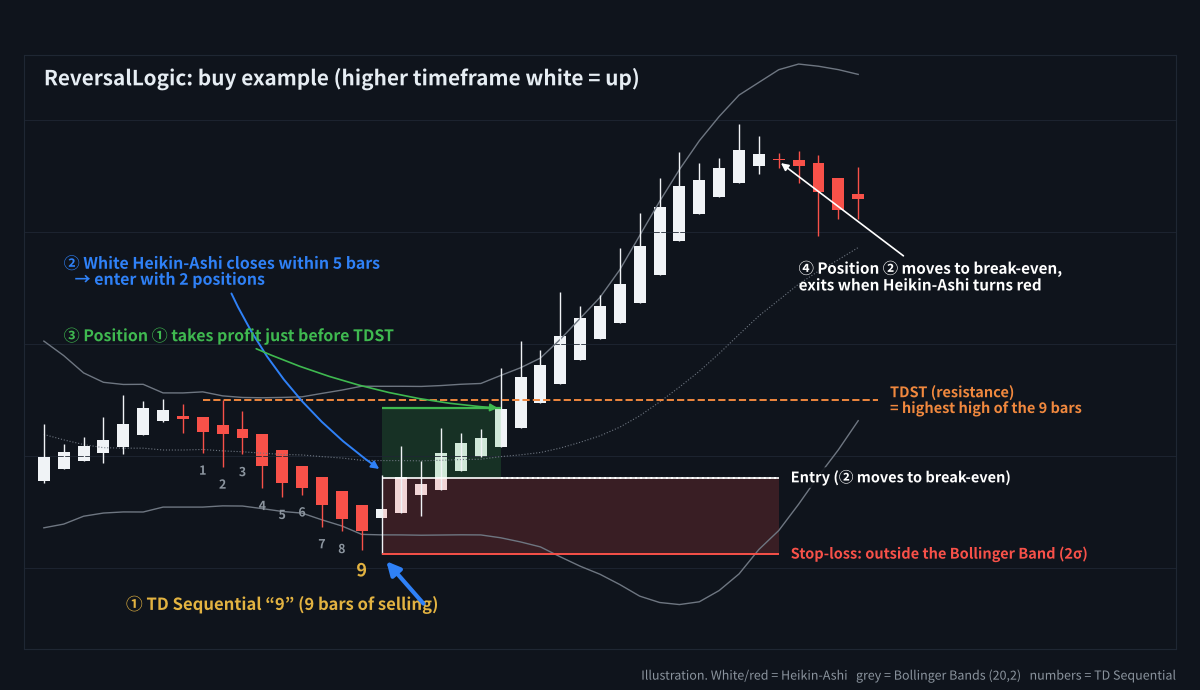
A buy example: TD 9 after a decline, white Heikin-Ashi confirms, two positions
TD Sequential in 30 seconds
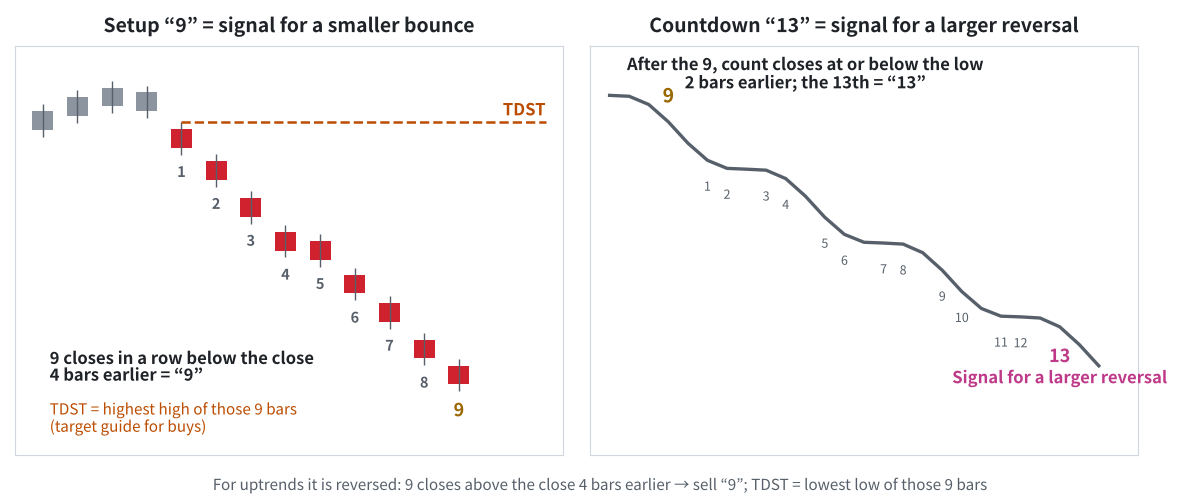
Setup 9 = smaller bounce; countdown 13 = larger reversal
- Setup “9”: 9 closes in a row below the close 4 bars earlier. Often followed by a bounce.
- TDST: the highest high of those 9 bars. A natural target for the bounce.
- Countdown “13”: after the 9, the 13th close at or below the low 2 bars earlier. A sign of a larger reversal.
The Navigator counts everything for you and marks 9 in yellow and 13 in pink.
Entry rules
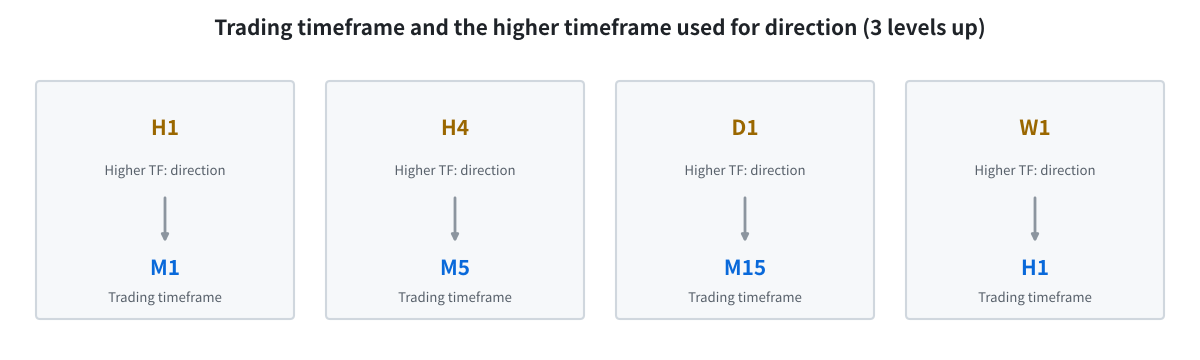
The higher timeframe (3 levels up) must agree with the trade
Buy (sell is the reverse)
- Higher timeframe: the last closed Heikin-Ashi candle 3 timeframes up is white (for example H4 for an M5 chart).
- Exhaustion: TD Sequential completes a buy “9” or “13” (you can choose “13 only”).
- Confirmation: a white Heikin-Ashi candle closes within 5 bars → two positions at the close.
- Room check: the trade is skipped if TDST is too close (less than half of the stop distance away).
Stop-loss and the two-position exit
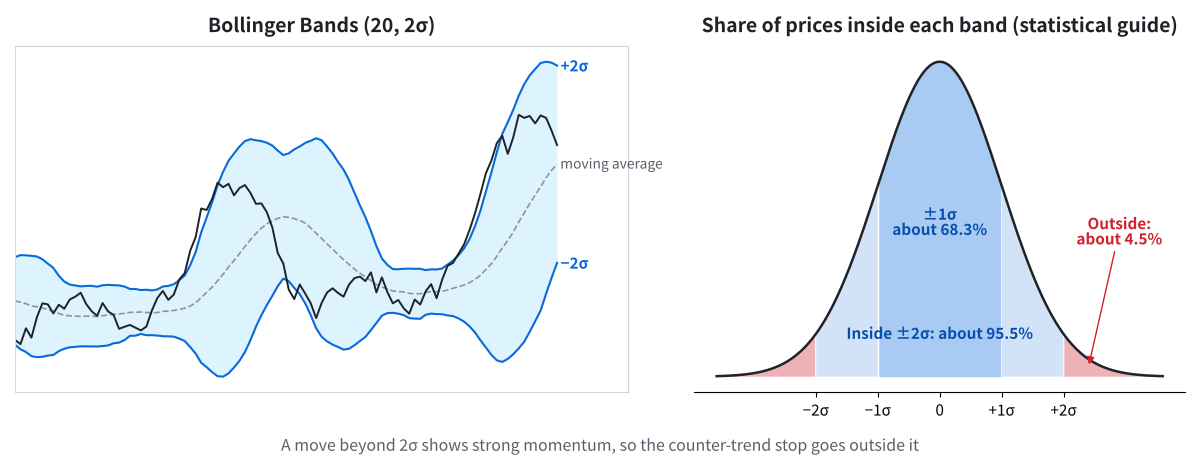
Moves beyond 2σ are rare, so the stop-loss goes outside the band
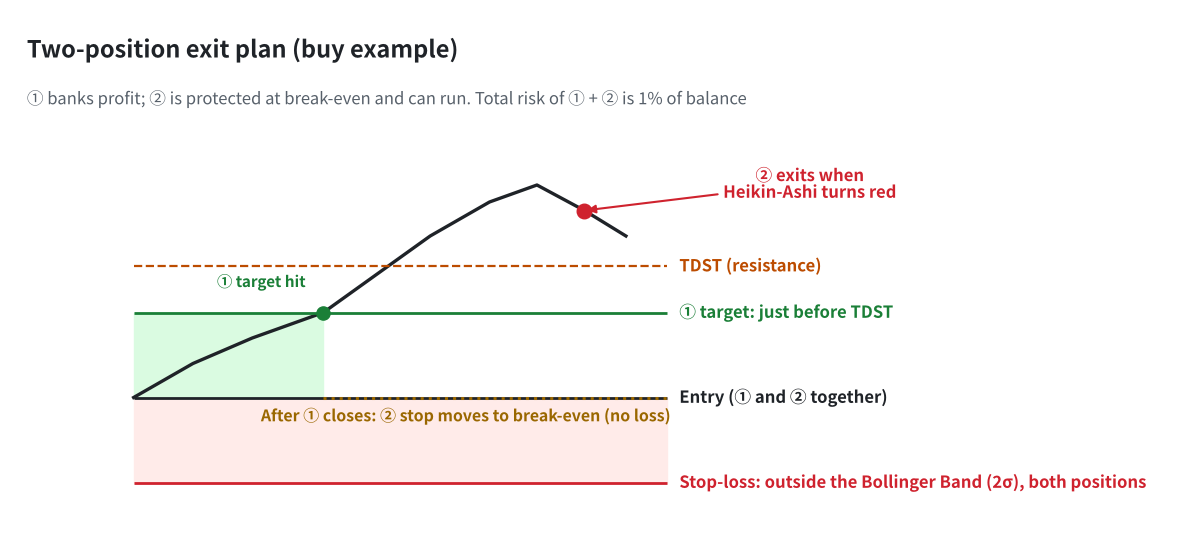
Position 1 banks profit; position 2 runs from break-even
- Stop-loss (both positions): the lower of the Bollinger Band (20, 2) edge and the lowest low since the 9/13, minus 1 pip.
- Position 1: takes profit just before TDST or at 1:1, whichever is closer.
- Position 2: after position 1 closes, its stop moves to break-even. It exits when a Heikin-Ashi candle turns the other colour.
- Risk: the combined loss of both positions is 1% of the balance.
How to use the Navigator (indicator)
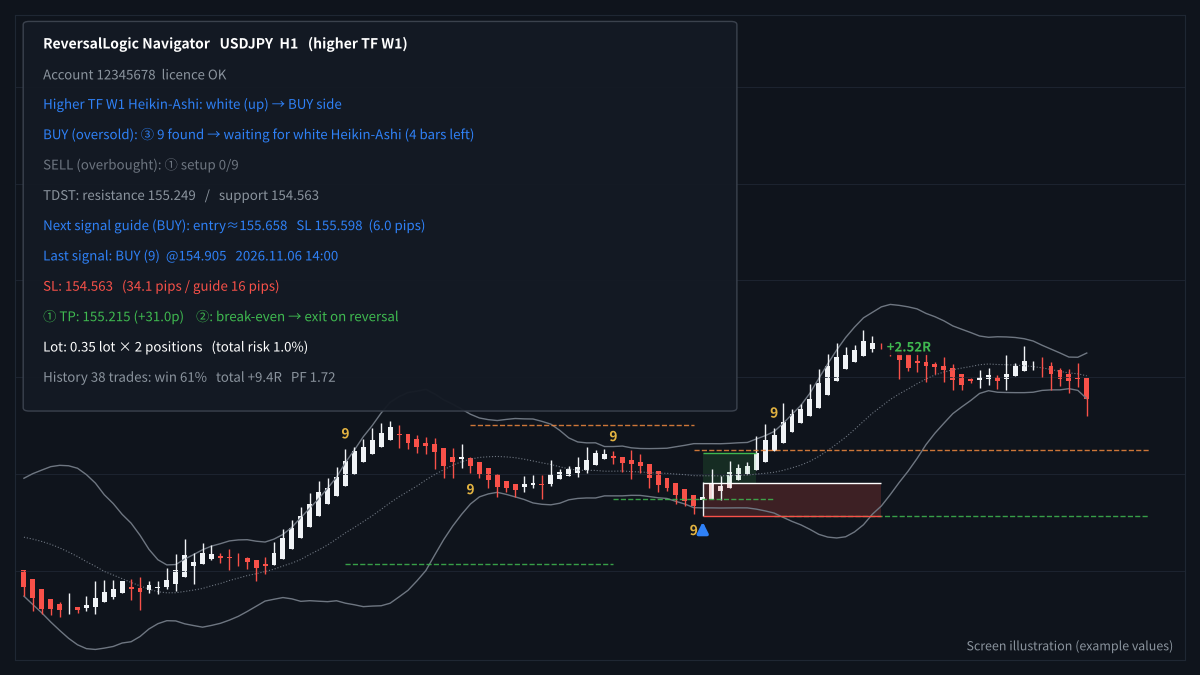
TD counts, TDST lines, signals and the progress panel
- Attach ReversalLogic Navigator to your chart (H1 is a good start).
- Read the panel for each side: setup n/9 → countdown n/13 → 9/13 found, waiting for Heikin-Ashi (bars left).
- When a 9 or 13 appears, the panel shows the expected entry and stop-loss for the next signal.
- When the signal appears, the entry, stop-loss and both targets are drawn, with the lot per position.
How to use the Assist EA (semi-automatic)
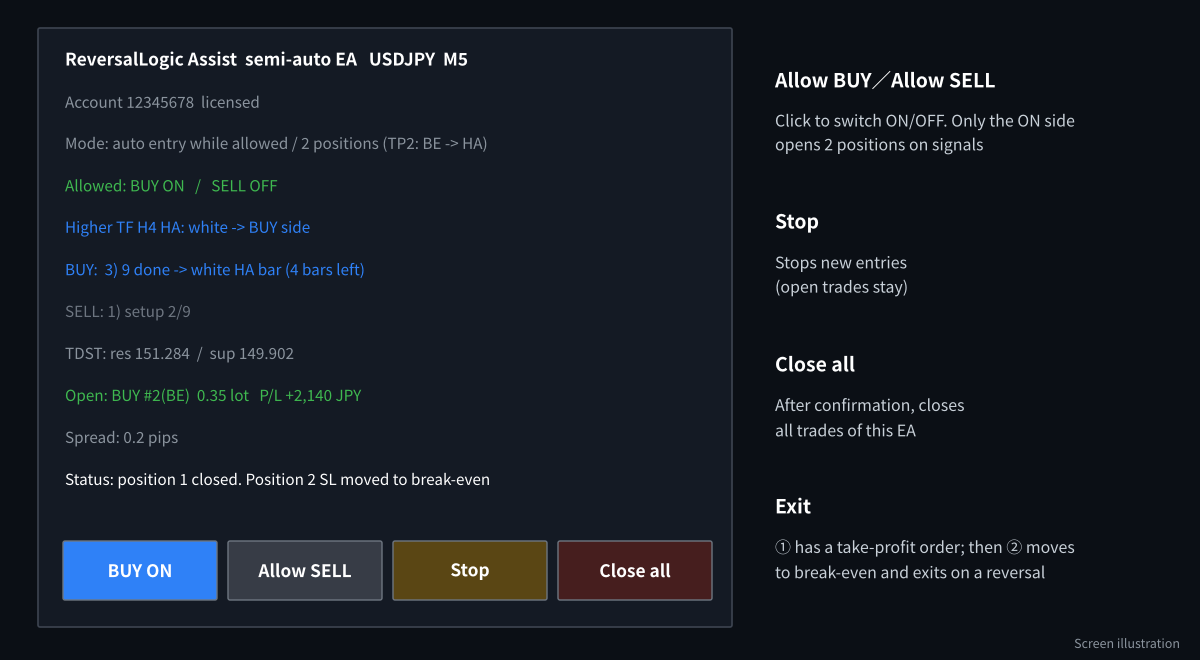
The Assist EA panel and buttons
- Attach ReversalLogic Assist to the same chart and turn on AutoTrading.
- Click Allow BUY or Allow SELL for the side that matches the higher timeframe.
- The EA opens both positions on the next signal. Position 1 has a take-profit order; position 2 moves to break-even after position 1 closes and exits on a Heikin-Ashi reversal.
- Use Stop to pause new entries and Close all to exit.
Recommended settings
| Item | Default | Notes |
|---|---|---|
| Timeframe | M15 – H1 | Higher timeframe is automatic (M5 → H4, M15 → D1, H1 → W1). |
| Signal | 9 or 13 | “13 only” gives fewer, stronger signals. |
| Risk | 1% total | Split across the two positions. |
| Position 1 target | Before TDST or 1:1 | Whichever is closer. TDST-only and fixed-ratio options are available. |
| Spread limit | 3 pips | The EA skips entries above this. |
When it works well, and when it does not
Works well
- Over-extended moves inside a bigger trend (buying dips, selling rallies)
- Ranging markets with clear swings
Be careful
- Strong one-way trends against the higher timeframe
- News-driven moves that keep extending
- Counter-trend trades have higher risk than trend trades
Frequently asked questions
Why two positions?
Position 1 secures profit at a realistic target. Position 2 then trades with no risk (stop at break-even) and can catch a bigger reversal.
Is this the same TD Sequential as other indicators?
It uses the standard setup (9) and countdown (13) rules. Some versions add extra conditions, so counts can differ slightly from other tools.
Can I trade only the stronger “13” signals?
Yes. Choose “13 only” in the settings of both the Navigator and the Assist EA.
Get ReversalLogic free
Open an HFM or RoboForex account through our partner link, then send the request form. We build the files for your account number.
Compensation disclosure: Forex Top Team receives introducing-broker compensation from HFM and RoboForex based on the trading activity of referred clients. Client funds are held by the broker in the client’s own account; we never hold client funds. Nothing on this page is financial, investment, legal or tax advice.