
TrendLogic Navigator & Assist
Trade pullbacks in strong trends with Heikin-Ashi, Parabolic SAR and CCI, confirmed by the higher timeframe. Built-in skip rules filter out tired trends, and the EA lets winners run after 1:1.
What TrendLogic does
TrendLogic waits for a clear trend, lets the market pull back, and enters when momentum turns back in the trend direction. It uses Heikin-Ashi candles, a moving average, Parabolic SAR and CCI, and it checks the higher timeframe so you only trade with the bigger trend.
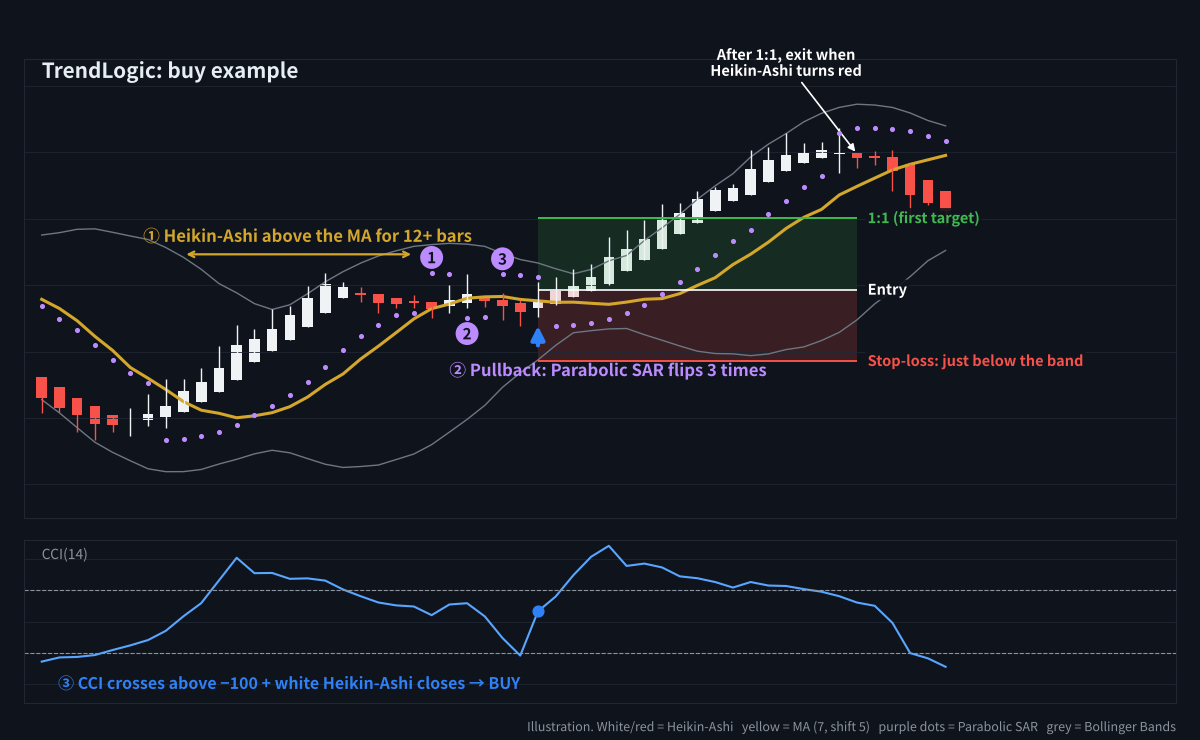
A buy example: trend confirmed, pullback with 3 Parabolic flips, CCI turns up → entry
Why Heikin-Ashi?
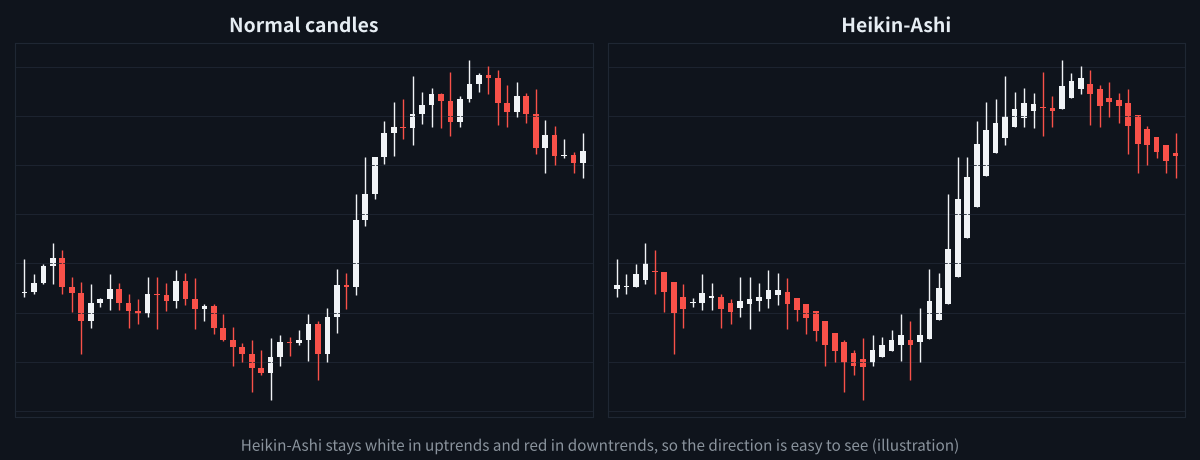
Heikin-Ashi smooths the noise, so trends are easier to see
Heikin-Ashi candles average the price, so they tend to stay one colour while the trend lasts. The Navigator draws them for you, and the EA reads the same values.
Entry rules
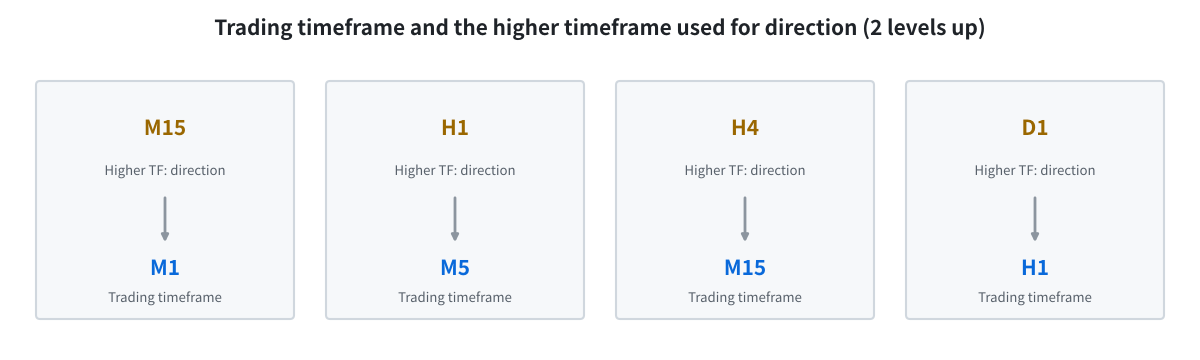
The higher timeframe (2 levels up) must point the same way
Buy (sell is the reverse)
- Higher timeframe: the last closed Heikin-Ashi candle 2 timeframes up is white (for example H1 for an M5 chart).
- Trend: Heikin-Ashi closes stay above the moving average (7, shift 5) for 12 bars or more.
- Pullback: price dips below the moving average and Parabolic SAR (0.02, 0.2) flips 3 times.
- Trigger: CCI(14) crosses back above −100 and a white Heikin-Ashi candle closes → buy at the close.
When TrendLogic skips a signal
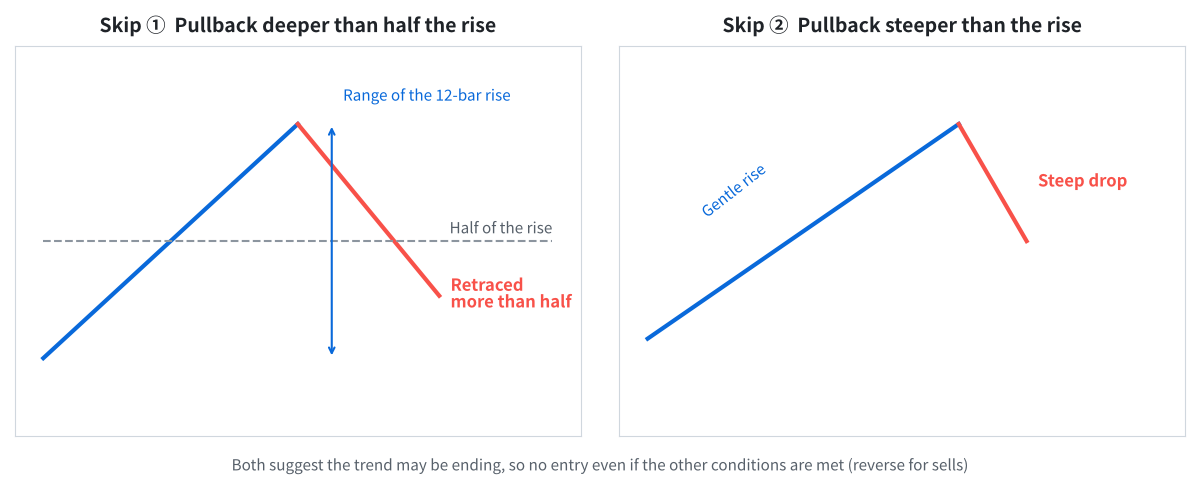
Deep or steep pullbacks often mean the trend is ending
- The pullback retraced more than half of the 12-bar trend.
- The pullback is falling faster than the trend was rising.
- Price is close to a recent high on the higher timeframe (within 0.5 × ATR).
Skipped signals are shown as a grey × with the reason in the panel, so you learn which setups to avoid.
Stop-loss and exit
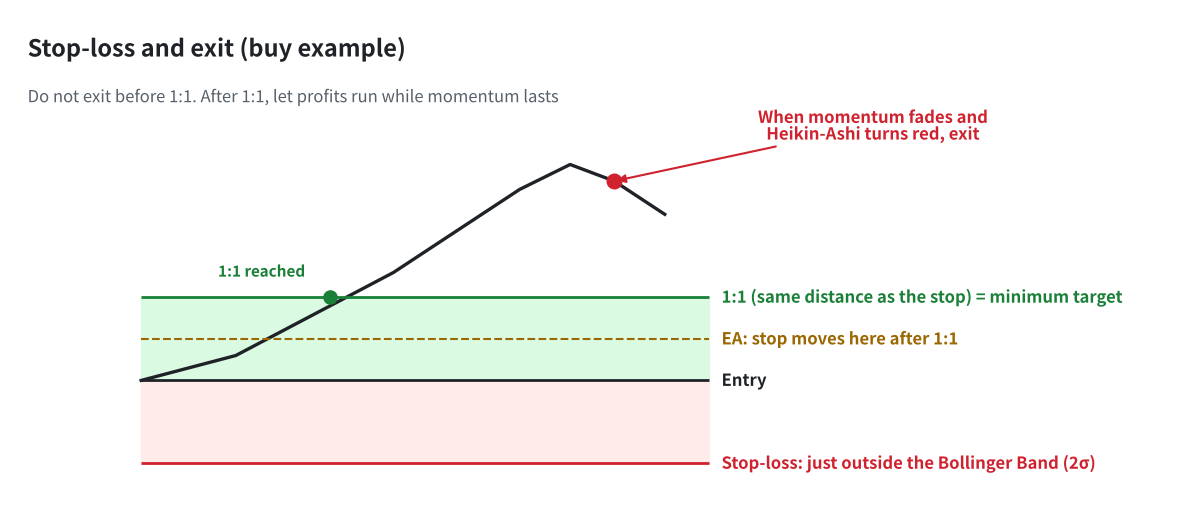
Hold until 1:1, then let the trend run until Heikin-Ashi turns
- Stop-loss: just outside the Bollinger Band (20, 2), with a 1-pip buffer.
- First target 1:1: when price reaches the same distance as the stop, the stop moves into profit (+0.5R).
- Exit: after 1:1, the trade closes when a Heikin-Ashi candle closes in the opposite colour. You can also choose a simple 1:1 take-profit.
How to use the Navigator (indicator)
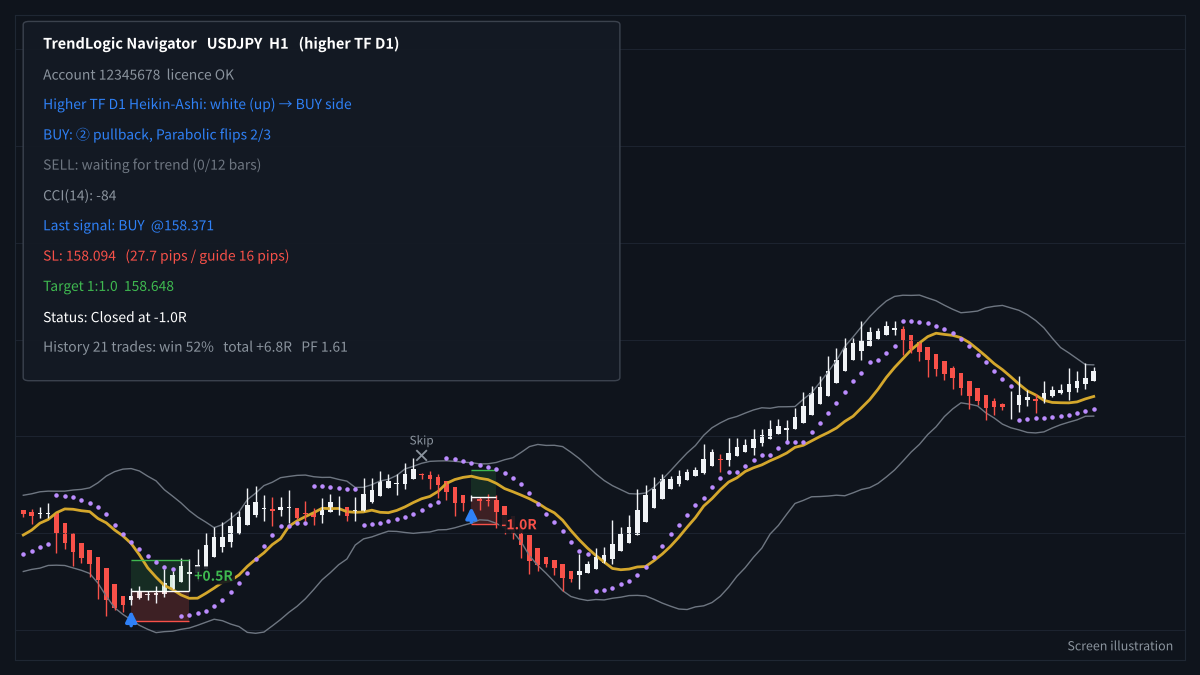
Heikin-Ashi chart with signals, skips and the progress panel
- Attach TrendLogic Navigator to your chart. It switches the chart to Heikin-Ashi and adds the moving average, Bollinger Bands and Parabolic SAR.
- Read the progress panel for each side: trend n/12 → Parabolic flips n/3 → waiting for CCI.
- At the last step, a dotted line shows the expected entry and stop-loss before the signal appears.
- When the arrow appears, the entry, stop-loss, 1:1 and 1:2 lines are drawn, with the lot for 1% risk.
How to use the Assist EA (semi-automatic)
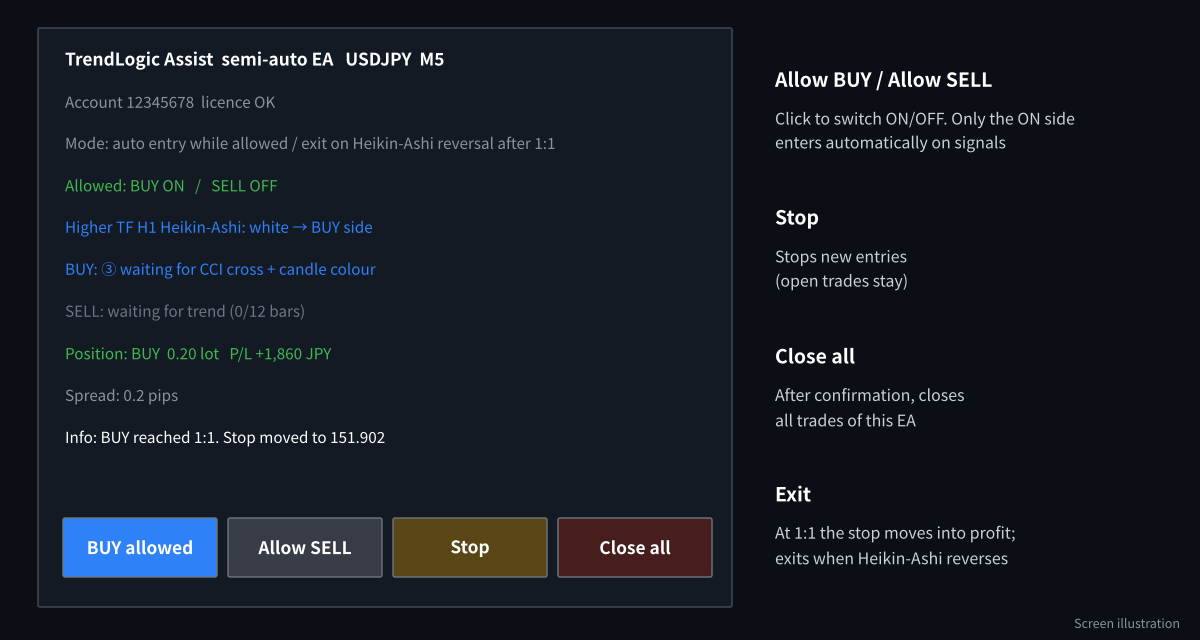
The Assist EA panel and buttons
- Attach TrendLogic Assist to the same chart and turn on AutoTrading.
- If the higher timeframe and the trend agree with your view, click Allow BUY or Allow SELL.
- The EA enters on the next signal, moves the stop into profit at 1:1, and exits when Heikin-Ashi reverses.
- Click Stop to pause new entries. Use Close all to exit everything.
Recommended settings
| Item | Default | Notes |
|---|---|---|
| Timeframe | M5 – H1 | The higher timeframe is chosen automatically (M5 → H1, M15 → H4, H1 → D1). |
| Pairs | Trending majors | Use the CurrencyPower Meter to find a strong × weak pair. |
| Risk per trade | 1% of balance | Fixed lot and maximum lot (5.0) are available. |
| Exit | Heikin-Ashi reversal after 1:1 | Or a fixed 1:1 take-profit. |
| Spread limit | 3 pips | The EA skips entries above this. |
When it works well, and when it does not
Works well
- Clear trends on both timeframes
- Pairs with a strong and a weak currency
Be careful
- Sideways markets (few signals, more skips)
- Sharp reversals after news
- Late in a long trend near higher-timeframe highs or lows
Frequently asked questions
Can I still see normal candles?
Yes. When you remove the Navigator from the chart, your normal candles come back automatically.
Why are some signals skipped?
The skip rules filter out pullbacks that are too deep, too fast or too close to a higher-timeframe level. The panel shows the reason for each skip.
Does the EA need to watch the chart all the time?
It manages the stop and the exit while MT4/MT5 is running. Use a Windows VPS if your computer is not always on.
Get TrendLogic free
Open an HFM or RoboForex account through our partner link, then send the request form. We build the files for your account number.
Compensation disclosure: Forex Top Team receives introducing-broker compensation from HFM and RoboForex based on the trading activity of referred clients. Client funds are held by the broker in the client’s own account; we never hold client funds. Nothing on this page is financial, investment, legal or tax advice.