
Your FX backtest buys every time a candle’s low touches a limit price. In live trading, several of those orders never fill. How much of the strategy’s result depends on trades you may never get? A simple execution audit can show which fills your data supports, which ones are uncertain, and how much the distinction changes the result.
Write down the order before replaying the chart
A buy limit is a request to buy at a stated price or better. For the usual over-the-counter FX setup in MetaTrader 5, compare the order level with the ask, the price on the buying side of the quote. For a sell limit, compare the order with the bid. Check the broker’s symbol specifications because exchange-traded instruments and execution modes can follow different trigger conventions. MetaTrader 5 order definitions.
Record when the order became active, when it expired, and whether you would have canceled it after a change in structure. A level that traded at 09:05 tells you nothing about an order that first became active at 09:10. If your replay creates the order after candle close, keep that timestamp even when an earlier tick on the same candle would have made the entry look much better.
Same bid low, different outcome
Take a hypothetical EUR/USD buy limit at 1.10000. The bid prints 1.09990. In one scenario the spread is 2 pips, so the ask is 1.10010 and the buy limit is still 1 pip away from being eligible. In another scenario the same bid prints with a 0.8-pip spread. The ask is then 1.09998, which meets the price condition. One pip is 0.0001 US dollars per euro. These are hypothetical quotes, and eligibility alone does not confirm a fill.
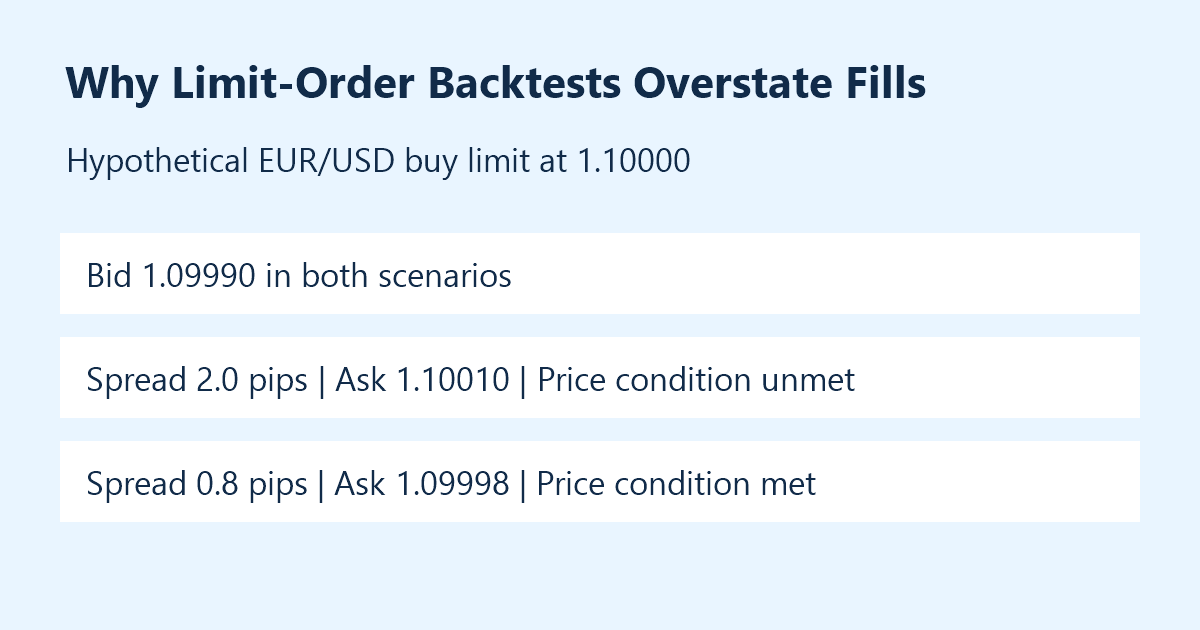
The two snapshots have the same bid and could appear at the same low on a bid-based candle. A replay that sees only that candle cannot tell which ask was available at the time. Adding a fixed spread can help build a scenario, but it substitutes a modeling assumption for the missing quote. If your entry rules cluster around rollover or news, check how sensitive the replay is to that assumption during those particular windows. MetaTrader 5 price-data documentation.
Audit the missing trades in both directions
Give every order in the test one row, including orders that did not fill. Record the planned limit, the earliest qualifying quote after the order was active, the fill price if you have one, and the reason for any cancellation. If you only have bar data, label the ambiguous cases. If reliable bid and ask ticks cover the window, you can resolve more of the price questions. Broker order history is the better source for what actually happened to a live order.
Consider a hypothetical set of ten orders. Six have simulated net outcomes of plus 4R in total. The four uncertain fills are assigned a combined plus 3R in the optimistic replay. R is each trade’s planned initial loss expressed as one unit, so the example assumes the same dollar risk per trade. That optimistic replay totals plus 7R. A second replay assigns zero to the four unfilled orders and totals plus 4R. Across the ten opportunities, that is 0.7R versus 0.4R per opportunity. If the uncertain trades had been losers, excluding them could have made the result look better instead. Treat both replays as scenarios, and keep the denominator consistent when comparing them.
There is another ambiguity when the same bar contains the limit, stop and target. The bar cannot reveal the sequence. Where the result changes with the sequence, flag the trade or review the ticks. MetaTrader documents differences between testing modes and the way orders are modeled. If you compare simulator results with live records, keep that model description alongside the sample. MetaTrader 5 Strategy Tester documentation.
A checklist for the next review
- Fix the order activation and cancellation rules before replay.
- Check the quote side, timestamp and data coverage for each possible touch.
- Count ambiguous fills per session and compare their contribution to total results.
- Reconcile a sample against actual order history, keeping missed trades in the log.
One easy mistake is to interpret a missed fill as a broker problem simply because the price touched on the chart. First check the quote side and when the order was active. Then check whether the order was accepted, remained open and was eligible under your broker’s execution rules. Even a good tick archive shows quotes available in that feed, and it may not recreate the execution outcome for a particular account or order size.
If you are starting from a discretionary range setup, the Forex Top Team Trading Toolkit describes the SimpleRange Navigator. Its chart levels can help you document the plan. Pair those levels with a record of the actual quote and order status. For the companion calculation on how a wider spread changes the room between entry, stop and target, see What a Range Trade Costs to Execute.